
Best Product Customization Software for eCommerce: Why Varianta (2026)
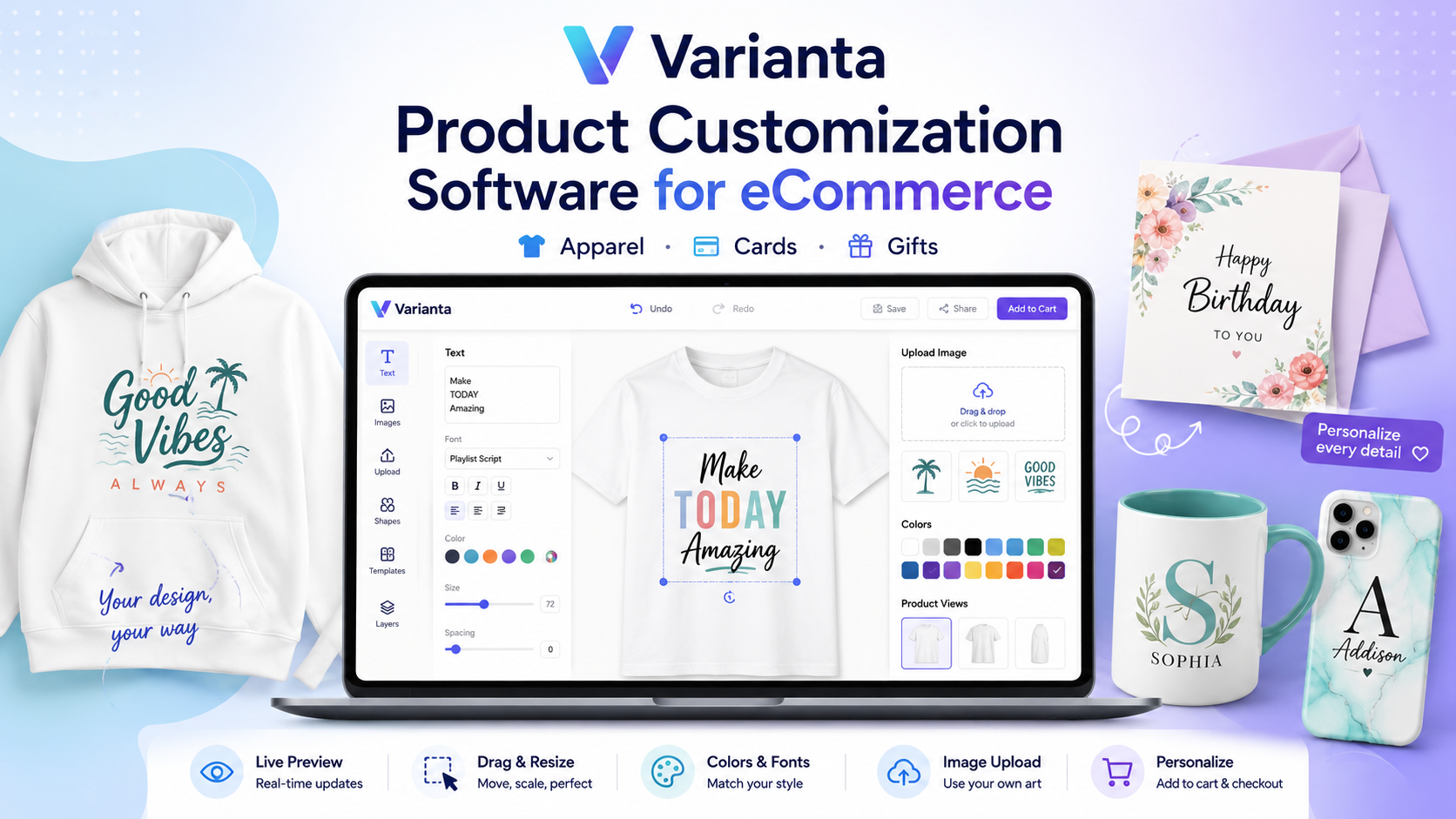
The best product customization software for your ecommerce store depends on your product mix and fulfillment model — there is no single winner for every shop. For small to mid-sized brands selling flat printable products (t-shirts, mugs, posters, labels, phone cases, cards, and stickers) that want an affordable, intuitive visual editor and the freedom to choose any fulfillment partner, Varianta is the strongest fit. It embeds a real-time customizer into your Shopify or custom store, lets shoppers personalize products with text, images, and colors before checkout, and generates print-ready files for whatever fulfillment partner you already use — at $14/$44/$94 per month, without enterprise cost or fulfillment lock-in. This guide covers what to look for, how the main platforms compare, and where Varianta is and isn’t the right call.
What is product customization software and how does it work?
Product customization software is a visual layer that embeds into an online store and lets shoppers personalize a product — adding text, uploading images, choosing colors, and arranging elements — before they add it to the cart. When a customer opens a customizable product, the editor presents the base product and the available tools, shows a live preview as they work, and captures the final design so it travels with the order into fulfillment. This replaces the old “email us your artwork and we’ll send a mockup” workflow with self-serve personalization that scales.
Varianta follows a deliberate two-stage model. Previews render in the browser, so they are fast and free no matter how many edits a customer makes. The print-ready files are produced only at checkout, when the customer commits — Varianta then renders deterministic artifacts (a PNG proof on every plan, plus a print SVG and print PDF with 3mm bleed and crop marks on Growth and Pro) and makes them available to your fulfillment workflow. Because output is deterministic and cached by design hash, the same design always yields the same files, with no duplicate work.
What should you look for in product customization software?
Use a consistent checklist to evaluate any tool. The features below separate a genuine customization platform from a basic “add a note” form — and here is where Varianta lands on each.
| What to look for | Why it matters |
|---|---|
| Real-time preview | An accurate live canvas as the customer designs — not a placeholder or a “submit and wait” form. |
| Design-area guardrails | Awareness of each product’s printable boundaries, with safe-area and low-resolution warnings. |
| File handling | Accepts the image formats customers actually have, with sensible size limits. |
| Mobile responsiveness | Touch and pinch-to-zoom support, since a large share of ecommerce traffic is on phones. |
| Print-ready output | Automatic, deterministic production files (proof + print-grade vector/PDF). |
| A clean fulfillment path | A documented webhook or API to get files to whatever partner produces the item. |
| Integration depth | Embeds natively in your store and passes the design into your normal cart/order flow. |
| Honest, predictable pricing | Plan costs that fit a small or mid-sized store without enterprise commitments. |
Where Varianta lands. It renders an accurate real-time canvas preview; understands each product’s printable boundaries and shows safe-area and DPI warnings (advisory guidance against a 300 DPI target — useful guardrails, never hard blocks); accepts PNG, JPEG, WebP, and SVG uploads up to 15MB; supports touch and pinch-to-zoom on mobile; produces deterministic print-ready files; and exposes an order.proof.ready webhook plus a REST API for fulfillment.
Be honest with yourself about what you actually need, and confirm it with any vendor rather than assuming. A few things are not part of Varianta today: automatic background removal, a built-in clip-art library, and full funnel analytics (the admin reports operational metrics such as customization-request counts and storage usage, not conversion or abandonment dashboards). If those are must-haves, weigh them explicitly when you compare tools.
How does Varianta compare to Zakeke, Customily, Printful, and Teeinblue?
Varianta is an affordable, standalone visual editor for flat printable products, aimed at small to mid-sized retailers who want customer-facing design without enterprise cost or fulfillment lock-in. Zakeke focuses on 3D visualization and augmented reality for complex products like furniture and jewelry, with an extensive catalog but higher complexity and price. Customily specializes in print-on-demand workflows and production automation for higher-volume POD businesses. Printful provides design tools only for items in its own fulfillment catalog, which ties you to its production service. Kickflip targets complex product configurators with deeper rules logic. Teeinblue is a Shopify-only personalization app focused on apparel. Varianta’s differentiator is that it is fulfillment-agnostic: it provides the editor and the print-ready files, and lets you keep whatever store setup or fulfillment partner you already have.
| Platform | Best for | Key strengths | Limitations |
|---|---|---|---|
| Varianta | Flat printable products for existing stores | Affordable, intuitive visual editor, fulfillment-agnostic, Shopify + standalone SDK/REST | 2D / flat products only; less backend automation than POD-specific tools |
| Zakeke | Furniture, jewelry, complex products | 3D visualization, AR, large catalog | Higher complexity and pricing |
| Customily | Higher-volume print-on-demand | Production automation, template systems | Specialized for POD workflows |
| Printful | Businesses using Printful fulfillment | Integrated design + fulfillment | Locked to Printful’s product catalog |
| Kickflip | Complex product configurators | Deep configuration logic, rules | More involved setup than a simple customizer |
| Teeinblue | Shopify apparel stores | Shopify-specific personalization | Platform-locked to Shopify |
Other names you may encounter — Bold Product Options, Product Personalizer, Inkybay, and similar add-ons — make different trade-offs between simplicity, customization depth, and integration. The right comparison is always against your own product catalog, your fulfillment approach, and whether customization is a core differentiator or a supporting feature.
What products can you customize with Varianta?
Varianta supports the flat, printable product types defined in its template system: t-shirts, mugs, posters, labels, phone cases, cards, and stickers. Each product is configured as a template with one or more customization areas and views — a t-shirt can expose a front and a back print area, a mug a wrap-around area — and each area defines its own allowed fonts, colors, and image options. Because products are template-driven, a single Varianta implementation can serve several merchandise lines from the same editor and the same print pipeline.
In practice, the most common configurations are:
- Apparel — t-shirts, with front and (optionally) back print areas
- Drinkware — mugs, with a wrap-around print area
- Wall art and signage — posters and labels
- Accessories — phone cases
- Cards — greeting, invitation, and business-card style layouts
- Stickers — die-cut or standard sticker designs
The unifying factor is that personalization happens visually and in real time, on flat 2D products, rather than through a text-based order form. The practical benefit is a simpler stack: a store can launch with custom t-shirts as the primary offering, then add mugs, posters, or cards using the same editor, the same design model, and the same print-ready output pipeline.
Why do ecommerce brands add product customization?
Brands adopt customization software to command higher prices, reduce returns, differentiate against commodity competitors, and cut inventory risk through made-to-order production. The demand is real: Deloitte research has found that roughly one in three consumers express interest in purchasing personalized products, and that many are willing to wait longer to receive a customized item — both signals of demand and of pricing power. McKinsey has likewise reported that around 71% of consumers expect personalized interactions and about 76% get frustrated when they don’t find them, while an Epsilon study found 80% of consumers are more likely to buy when a brand offers a personalized experience.
Higher average order values.Personalized products consistently command a premium over off-the-shelf alternatives. Bain & Company research points to consumers being willing to pay roughly 20–30% more for customized items — margin that customization directly unlocks.
Lower returns and psychological ownership. When a customer actively designs a product, they form an attachment to it before they pay — the “endowment effect.” That tends to reduce buyer’s-remorse returns compared with generic apparel that is often sent back over fit or style, and the real-time preview removes guesswork about how the finished item will look.
Differentiation. Generic apparel is easily commoditized — a shopper can find a similar blank tee at dozens of stores and choose on price alone. Offering customization creates a value proposition competitors can’t easily match, letting brands compete on value rather than price and protect their margins.
Inventory benefits. For made-to-order and print-on-demand models, customization removes the need to forecast demand for specific designs, eliminates overstock and stockout risk on customized SKUs, avoids carrying cost on finished custom inventory, and reduces waste from unsold merchandise — a structural problem the fashion industry loses significant sums to each year.
First-party insight. The designs customers create reveal real preferences in color, text, and theme — data that can inform future products, marketing creative, and inventory decisions in ways standard product sales cannot.
How do you integrate Varianta into your store?
Integrating Varianta means designating which products are customizable, defining each product’s editable areas and rules, embedding the editor on the product page, and connecting the resulting design data to your order and fulfillment flow. Keeping the experience native to your store — rather than redirecting shoppers to a third-party site — reduces friction at exactly the moment that matters for conversion.
1. Configure your catalog. In the admin, designate customizable products, define each product’s customization areas and views, and set per-area rules (allowed fonts, colors, image types, transform permissions).
2. Embed the editor.
- Shopify: install the Varianta app (OAuth, embedded admin) and enable the theme app extension that places the customizer on the product detail page.
- Any custom store: drop in the standalone JavaScript SDK (vanilla or React) or integrate the REST API for full control of the UI. There are no native WooCommerce or BigCommerce connectors today, but any custom storefront can integrate through the SDK or API.
3. Capture the design at checkout. When a customer adds a customized item to the cart, Varianta attaches a design reference (on Shopify, a design_id line-item property). At order time the system renders the print-ready artifacts for that design.
4. Hand off to fulfillment — your choice of partner. When proofs are ready, Varianta fires a signed, retried order.proof.ready webhook to your endpoint containing the proof URLs (PNG, plus print PDF and SVG on Growth/Pro). You forward those files to whatever fulfillment or print-on-demand partner you use, or pull them via the REST API into your own production workflow. There is no lock-in to a specific print service.
Who is Varianta best for, and when should you choose a competitor?
Varianta is best for small to mid-sized ecommerce retailers, print-on-demand sellers, promotional-product companies, and custom-gift shops that want an affordable, self-serve way to let customers personalize flat printable products online — without enterprise cost or fulfillment lock-in.
Choose Varianta when you:
- Sell t-shirts, mugs, posters, cards, or other flat printable products
- Manage your own production or work with fulfillment partners you choose
- Want an intuitive editor that needs no customer training
- Run on Shopify, or on a custom store you can integrate via SDK/REST
- Want affordable, predictable pricing ($14/$44/$94 per month) to experiment with customization
Choose a competitor when you:
- Need 3D or AR visualization for complex products like furniture → Zakeke
- Want design and fulfillment bundled into one turnkey service → Printful
- Run high-volume print-on-demand with heavy production automation → Customily
- Need deep product-configurator logic for complex configurable products → Kickflip
In short: if flat printable products are core, an intuitive customer experience matters more than deep backend automation, and the freedom to choose your own fulfillment partner is valuable, Varianta is the best product customization software for the job — and its pricing lets you start without a large commitment.
FAQ
What is the best product customization software for ecommerce?
There is no single best tool for every store — the right choice depends on your product mix and fulfillment model. For small to mid-sized brands selling flat printable products (t-shirts, mugs, posters, labels, phone cases, cards, stickers) who want an affordable, intuitive editor and the freedom to choose any fulfillment partner, Varianta is a strong fit at $14/$44/$94 per month. If you need 3D/AR visualization for complex products like furniture, Zakeke is better suited; if you want design and fulfillment bundled into one service, Printful makes sense.
Does Varianta integrate with Shopify and other ecommerce platforms?
Varianta ships a native Shopify app — OAuth install, an embedded admin, and a theme app extension that mounts the customizer on the product page — and it captures each design via a line-item design_id so it flows through Shopify’s normal cart and order process. For non-Shopify or custom storefronts, Varianta provides a standalone JavaScript SDK (vanilla or React) and a REST API you embed directly. It does not currently ship native connectors for WooCommerce, BigCommerce, or other platforms, but any custom store can integrate through the SDK or API.
What is the difference between Varianta and print-on-demand services like Printful?
Varianta is customization software — it provides the customer-facing editor and generates print-ready files — while Printful is primarily a print-on-demand fulfillment service that bundles a design tool with its own production. With Varianta you keep control of manufacturing, margins, and your choice of fulfillment partner; it delivers files via the order.proof.ready webhook or REST API so you can route them to any printer or in-house production. Choose Varianta when you want production freedom; choose a bundled POD service when you prefer to outsource the entire fulfillment operation.
Can customers preview their customizations in real-time with Varianta?
Yes. Varianta renders a live canvas preview that updates as customers add text, change fonts, pick colors, upload images, or move elements. The preview reflects the product and the design accurately, so shoppers see how the finished item will look before adding it to the cart — which helps reduce purchase uncertainty.
How much does Varianta cost compared to other customization platforms?
Varianta is positioned as an affordable, standalone customizer at $14, $44, or $94 per month (Starter / Growth / Pro), which is generally simpler and lower-cost than enterprise platforms like Zakeke. Print-ready PDF and SVG output is included on the Growth and Pro plans; every plan generates a PNG proof. A direct comparison to a bundled POD service like Printful depends on whether you want just customization software or design plus fulfillment in one package.
What file formats does Varianta accept for uploaded images and logos?
Varianta accepts PNG, JPEG, WebP, and SVG uploads, with a 15MB per-file limit. On the output side it generates a PNG proof on every plan, plus a print SVG and a print PDF (with 3mm bleed and crop marks) on the Growth and Pro plans. It uses a 300 DPI target and shows a warning when an uploaded image is too low-resolution for crisp printing. Note that Varianta does not currently offer automatic background removal or a built-in clip-art library.
What products can you customize with Varianta?
Varianta supports flat, printable product types: t-shirts, mugs, posters, labels, phone cases, cards, and stickers. Each product is configured as a template with one or more customization areas and views (for example, a t-shirt can expose a front and a back print area). It is built for 2D / flat products rather than 3D-shaped items, so it is not the right tool for configuring complex three-dimensional products.
Is Varianta suitable for small businesses or only enterprise brands?
Varianta is built for small and mid-sized ecommerce brands. Unlike enterprise platforms aimed at large catalogs and complex configuration, it focuses on a streamlined visual editor that needs no customer training, with pricing ($14/$44/$94 per month) and a quick Shopify or SDK/REST setup that suit lean teams. Larger operations with heavy production-automation or 3D/AR needs may prefer a more specialized platform.
Does Varianta support mobile customization?
Yes. Varianta’s editor supports touch and pinch-to-zoom gestures and adapts to device pixel ratio, so customers can add text, upload images, preview their design, and add the item to the cart from a phone or tablet. Mobile support matters because a large share of ecommerce traffic — and an increasing share of purchases — happens on mobile devices.